Burrow
Code hosting
Code hosting with checkouts that mount instead of cloning
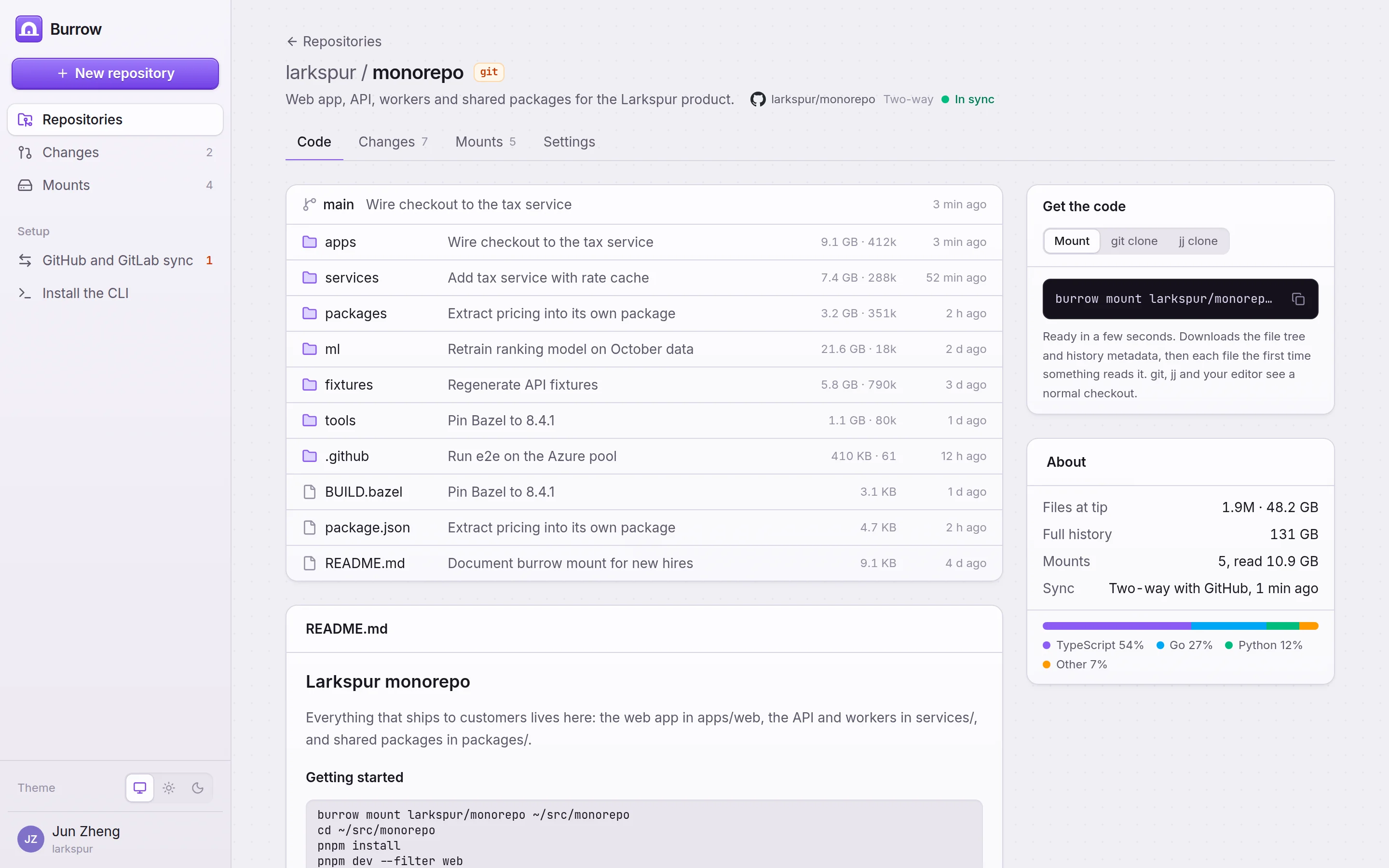
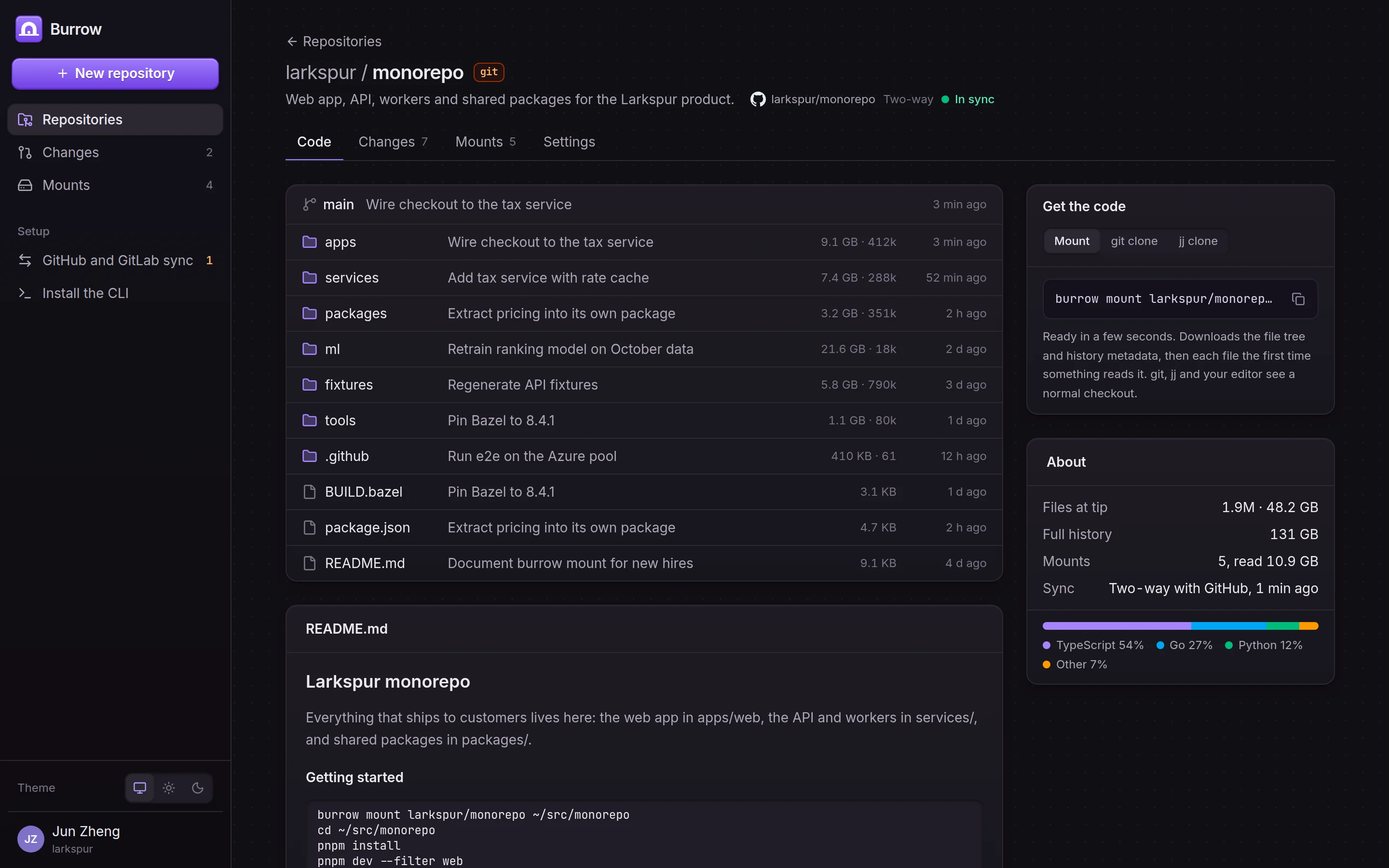
Burrow hosts git, jj and hg repositories and mirrors GitHub and GitLab repositories with two-way sync. Its CLI mounts a repository as a virtual filesystem: the file tree and history arrive first, and each file downloads the first time a tool reads it.
Included in every Aldermark edition, with the other five programs
Burrow works with
- Git
- Mercurial
- GitHub
- GitLab
- GitHub Actions
- Apple
- Linux
What Burrow does
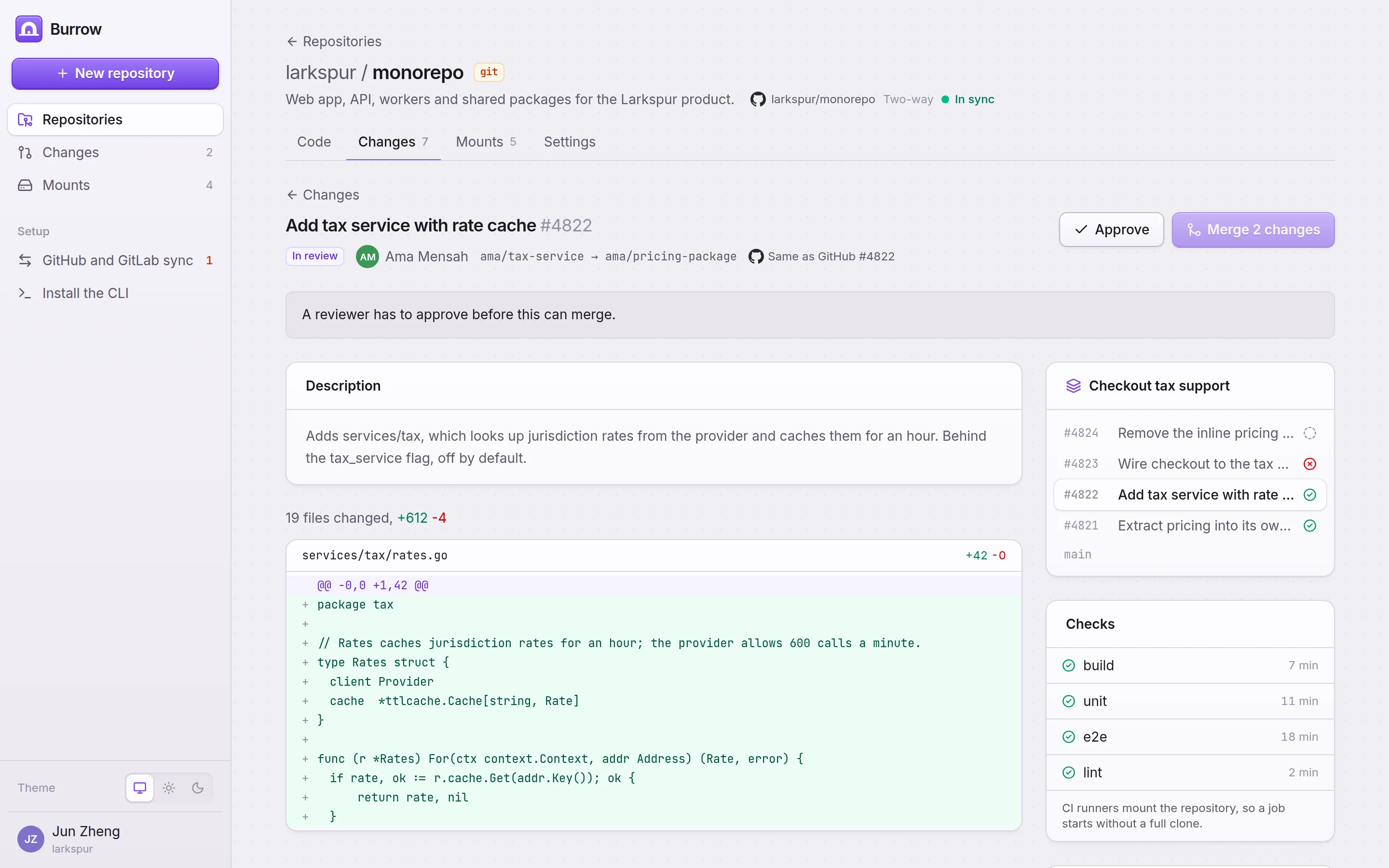
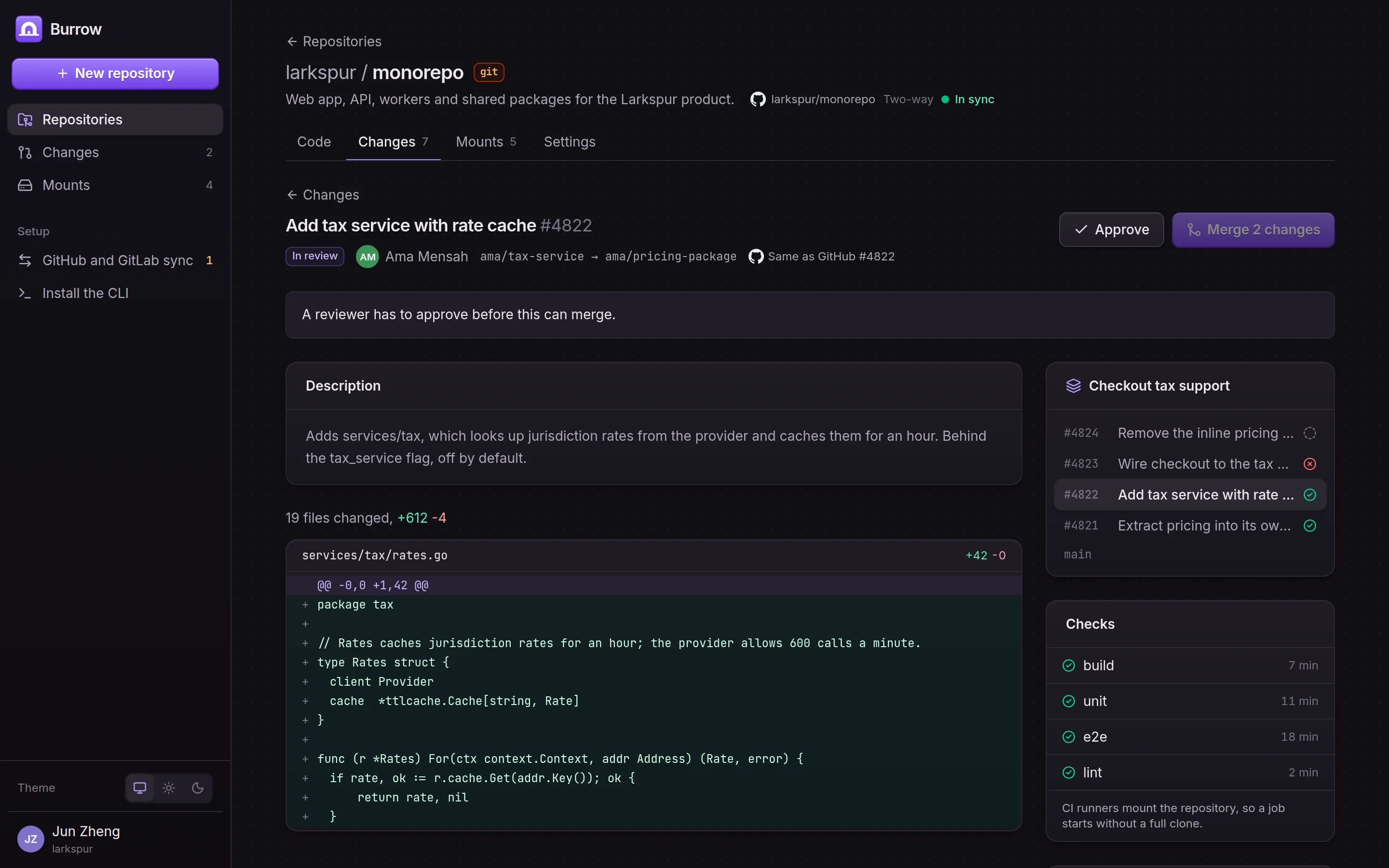
Mounted checkouts on macOS, Linux and Windows that git, jj, hg, editors and agents see as an ordinary checkout. Stacked changes: merge a change and everything below it, or restack a stale stack onto main. Reviews on mirrored repositories post back to GitHub or GitLab.
Mounted checkouts
The tree and history metadata arrive first and file contents download on first read. Mounts use FSKit on macOS, FUSE on Linux and ProjFS on Windows.
Stacked changes
Every change shows its stack. Merging a change merges every change below it, and Restack rebases a stale stack onto main.
Two-way GitHub and GitLab sync
Mirror a repository and keep working on either side. When a branch moves on both sides, Burrow stops and asks which side to keep.
git, jj and hg
Create a repository in any of the three formats. git, jj, hg, editors and build tools see an ordinary checkout.
Made for CI and agents
CI runners and agent sandboxes mount a repository instead of cloning it, and the mounts page shows every machine and how much it has read.
Reviews and checks
Changes show checks, reviewers and the diff. Approving a mirrored change posts the review to GitHub or GitLab.
Inside Burrow
Screens from Burrow with sample data.
Up and running in three steps
- 1Step 1
Create or mirror a repository
Start a git, jj or hg repository, or mirror one from GitHub or GitLab with two-way sync.
- 2Step 2
Mount it
Install the CLI and mount the repository. The tree is there right away, and files arrive as tools read them.
- 3Step 3
Ship in stacks
Push a stack of small changes, review each one, and merge the stack from the top.
Burrow comes in the box with five more programs
Aldermark is sold only as the whole package. One seat gives a person Burrow and every other program, at $149 a month for a team of ten.
- GitHub Team for 10 people
- $40
- a month, code hosting only
- Aldermark Team for 10 people
- $149
- a month, all six programs (the six tools: $1,043)
Aldermark
Software for teams and agents
Edition
Team
- GatehouseIdentity and sign-in
- TributaryIssue tracker
- BurrowCode hosting
- FieldhandAgent factory
- BelfryIncident response
- PactmendWebsite checks
10 people included
$149 a month or $1,490 a year
Aldermark Team
Also in the box
Every person on an Aldermark edition gets these too.
Gatehouse
Identity and sign-in
One sign-in for every Aldermark program and every other app your team uses.
Learn about GatehouseTributary
Issue tracker
One issue list for the team, synced both ways with GitHub, Linear and Jira.
Learn about TributaryFieldhand
Agent factory
Runs Claude Code and Codex agents in the background, on triggers you set.
Learn about FieldhandBelfry
Incident response
Pages whoever is on call, escalates when nobody answers, and closes the loop.
Learn about BelfryPactmend
Website checks
Checks your website for 2,599 problems that cost visitors, sales and fines.
Learn about Pactmend
- One sign-in through Gatehouse
- Keeps your tools
- Nothing to install
- Light and dark
- One seat, six programs
Burrow is program 3 of 6 in Aldermark.
Get Burrow and five more programs in one box.
Every edition includes Gatehouse, Tributary, Burrow, Fieldhand, Belfry and Pactmend, free for up to 3 people.
Buy AldermarkEvery edition includes all six programs.